What is App Lock & Gallery Vault?
Searching for a comprehensive solution to secure both your social media applications and personal gallery? App Lock acts as a unified digital gatekeeper.
It empowers you to restrict access to a wide array of applications—from WhatsApp and Facebook to YouTube and your private media folders. You can enforce security using your choice of authentication: a numeric PIN, a complex password, or a swipe pattern. Furthermore, the software actively monitors for potential intruders, stealthily capturing a timestamped photograph of anyone attempting to guess your credentials.
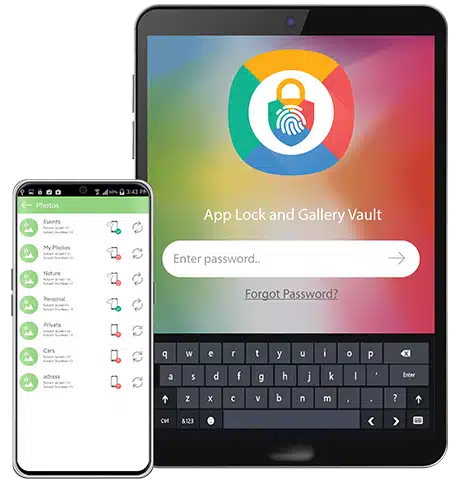
Core Security Capabilities

App Gating
Instantly secure any application on your device with robust password protection, guaranteeing absolute privacy for your digital life.

Photo Encryption
Shield your private photographs from unauthorized viewing using rapid, military-grade encryption techniques.

Video Vault
Completely conceal and lock down your sensitive video files, keeping them entirely hidden from prying eyes.

Timeline Organization
Seamlessly browse and arrange your hidden media chronologically within the app's secure internal environment.

Instant Cloud Sync
Safely back up your encrypted vault to your personal cloud storage, ensuring rapid data recovery if your device is lost.

Intruder Detection
Automatically identify and secretly photograph anyone attempting to breach your secured apps or hidden vault.
Understanding
Android App Security
App locking serves as an internal application gatekeeper. It acts as a secondary layer of defense, ensuring that even if someone bypasses your main lock screen, your most sensitive data remains encrypted and inaccessible.
Complete Methods Guide
Many Android manufacturers have recognized the need for privacy and now include built-in app locking tools.
Samsung Secure Folder App Lock
If you own a modern Samsung device, you have access to one of the most robust native solutions available: the Samsung Secure Folder. This feature utilizes Samsung Knox hardware-level security to create an isolated environment on your phone.
Android App Pinning
If you need a quick, temporary solution because you are handing your phone to someone for a specific task (like making a phone call), Screen Pinning is built into almost all Android devices running version 5.0 and up.
Third-Party App Locker Software
For most users, relying on a dedicated third-party app locker from the Google Play Store is the most versatile solution. These apps allow you to lock any system or downloaded app without creating duplicate environments.
Comparing the Methods
| Method | Security Level | Device Support |
|---|---|---|
| Samsung Secure Folder | High (Hardware) | Samsung Only |
| Android App Pinning | Low (Temporary) | All Android 5.0+ |
| App Lock & Gallery Vault Highly Recommended | Maximum Protection | All Android Devices |
App Security Deep Dive
How to lock WhatsApp with password
WhatsApp recently introduced a native "WhatsApp chat lock folder" which allows you to hide specific conversations. However, if you want to lock the entire application, you must use WhatsApp's built-in Screen Lock (Settings > Privacy > Fingerprint lock) or apply a stronger alphanumeric password using a third-party app locker for social media.
Gallery Lock App vs. Hiding Apps on Android
There is a distinct difference between locking an app and utilizing a gallery lock app. Locking simply puts a password on your main photo viewer. A true gallery vault actually encrypts the media files and removes them from the public file system entirely. If someone plugs your phone into a computer, locked apps won't stop them from copying files, but media encryption will.
Troubleshooting Common Issues
Applock photo vault recovery not working
How to set up fingerprint app lock properly
Tools We Tested and Reviewed
We tested several privacy tools to find the best option for comprehensive Android app locking. We looked for tamper resistance, media encryption quality, and anti-snooping features.

App Lock & Gallery Vault
Dev: NewSoftwares LLC | OS: Android 5.1+
Why we recommend it: Of all the options we covered, App Lock & Gallery Vault offers the best blend of application gating and actual media encryption. Unlike basic lockers that just put a screen over your gallery, this tool encrypts files locally. Furthermore, its "real-world" physical security features make it exceptional for physical privacy threats.
Interface Preview
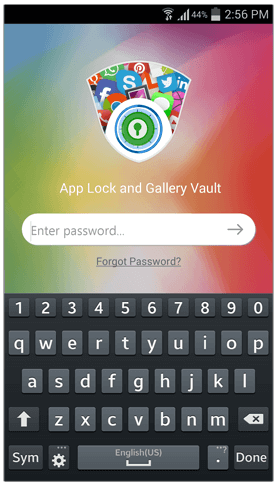
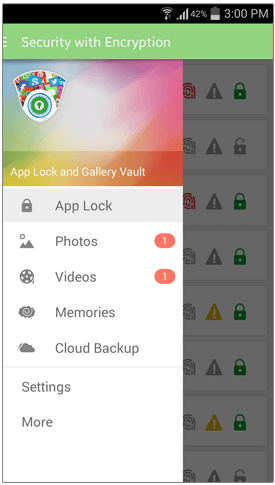
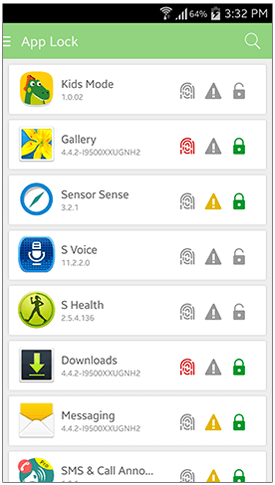
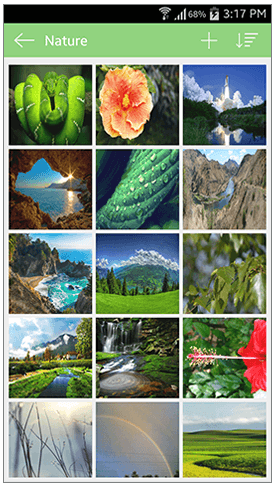
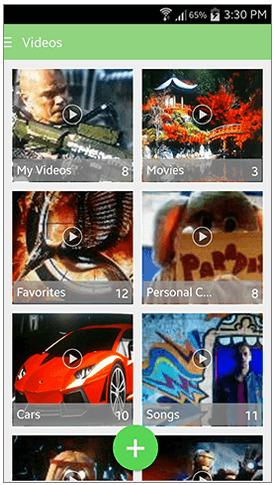
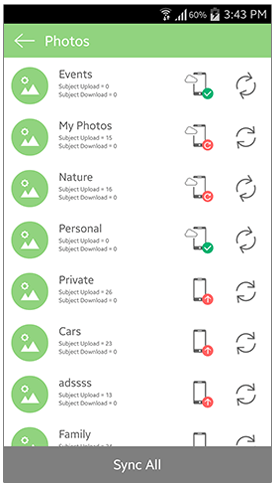
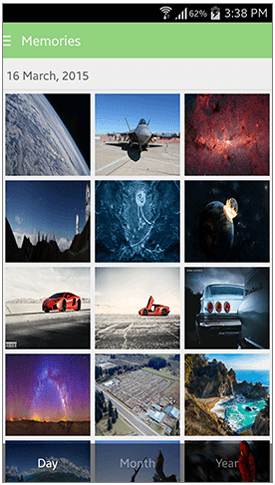
Key Strengths
- Intruder Selfie Secretly photographs anyone who enters the wrong password.
- Decoy Mode A fake secondary password opens a dummy vault to trick snoopers.
- Panic Switch Shake your phone to instantly lock the vault and hide screen contents.
Not ideal for
- iOS users (this specific version is heavily optimized for Android architecture).
- Users who strictly want OS-level integration without third-party installations.
Other Notable Options
While App Lock & Gallery Vault is our top pick for combining both features, we also reviewed standard OS tools. If you solely need simple locking without media encryption, native OS settings (like Android Private Space on newer OS versions) are highly efficient and completely free, though they lack the active intruder monitoring of our top pick.
How to secure apps using our recommended tool
Setting up a secure perimeter on your Android device takes about three minutes. Here is how to configure App Lock & Gallery Vault.
Install and Grant Permissions
Download the app and grant "Usage Data Access" and "Display over other apps". This is crucial; without these, the locker cannot detect when a restricted app is launched.
Set Your Master Authentication
Choose between a PIN, Pattern, or Password. For maximum security, we recommend an alphanumeric password. You can enable fingerprint unlock in the settings later for convenience.
Lock the Settings App First
Pro Tip: Immediately lock your phone's default "Settings" app and the "Google Play Store". This prevents snoopers from force-stopping the app locker or uninstalling it to bypass your security.
Enable Intruder Selfie
Navigate to the security settings within the app and turn on Hack Attempt Monitoring. The app will now log photographic evidence of unauthorized access attempts.
Which method is right for you?
To help you decide, we have broken down our recommendations by typical user scenarios.
The Casual User
Goal: Stop friends from swiping left in the gallery.
The Privacy Advocate
Goal: Total security against physical snooping.
Your Questions Answered
How to lock apps on iPhone? +
Secret folder app lock for iPhone vs Android? +
Can I set up app lock for Windows 10? +
How to lock the Gmail app specifically? +
More Guides on This Topic
How to lock Instagram and Social Media Accounts
Learn the best practices for securing your DMs and preventing unauthorized social posting.
Applock Data Recovery: What to Do When Locked Out
A step-by-step tutorial on recovering encrypted media if you forget your master password.
The Ultimate Verdict
Securing your mobile data shouldn't be complicated. While built-in Android tools offer basic protection, they often fall short in high-risk physical privacy scenarios. For the best combination of application gating, local media encryption, and robust anti-snooping features like Intruder Selfies and Decoy Vaults, a specialized tool like App Lock & Gallery Vault is essential.